How to add and change my payment method? (Billing card update)
You can update or change your default payment method at any time through your subscription settings.
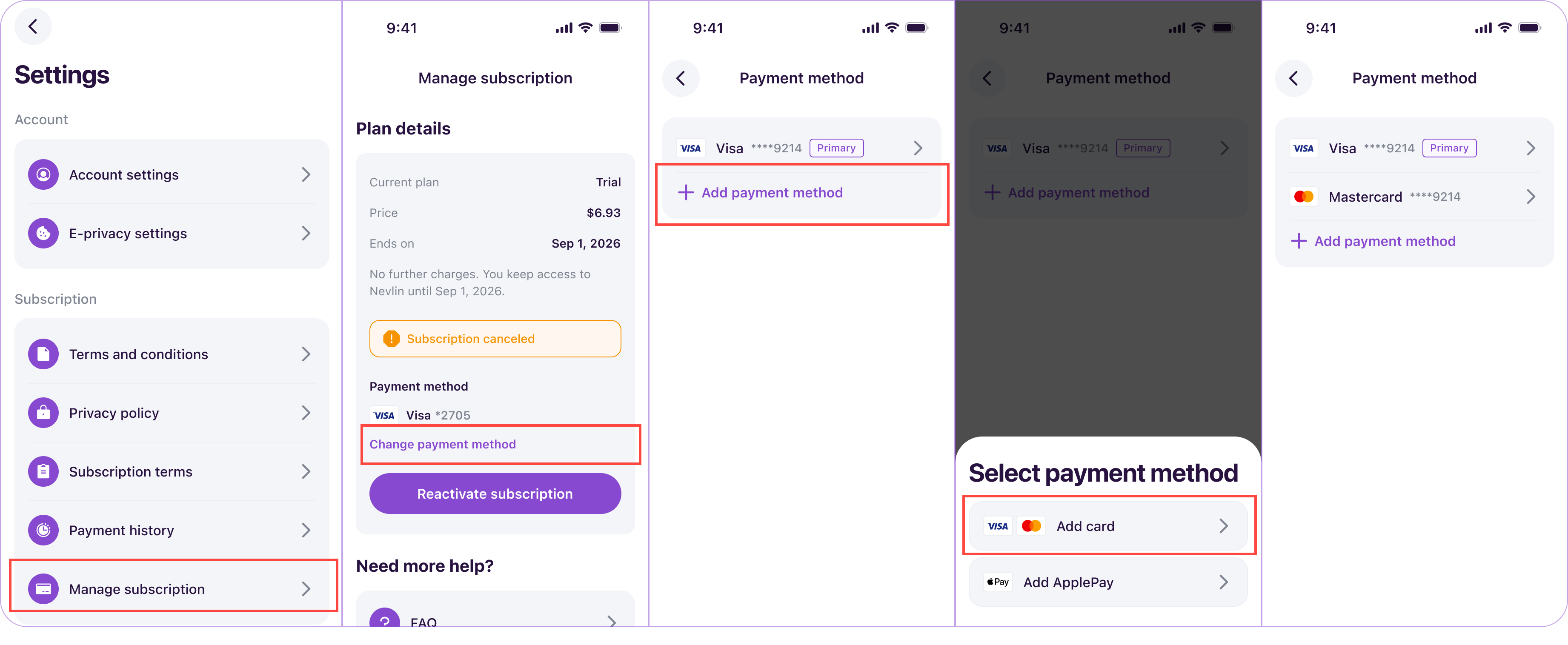
Steps to add and change your payment method:
- Open the Nevlin app or sign in at https://app.nevlin.com/auth/signin
- Go to your Profile by tapping the Profile Icon in the Home Page.
- Tap the gear icon at the top of the page to access Settings.
- Select Manage Subscription.
- Tap Change Payment Method to enter your new card or payment details.
- Set your preferred payment option as the primary method.
Automatic payment retries:
Your card details go directly to our secure payment processor. If a renewal payment ever fails, our system will automatically attempt any backup payment method saved on your profile to prevent your course access from dropping.
If you experience any issues while updating your payment method, contact us at support@nevlin.com or by submitting a ticket to the Support Center.
Was this article helpful?